
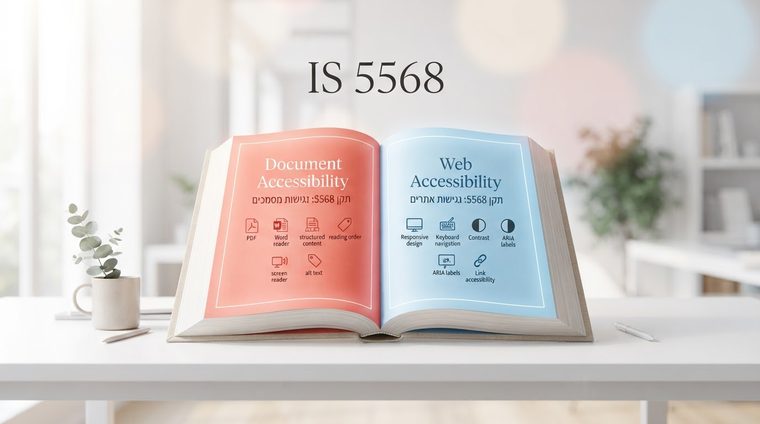
Standard 5568 isn't a single document but a series — and any organization that publishes both a website and documents (PDF, Word, presentations) needs to know both of its parts. Confusion between the two is very common, so here's a clear explanation of the difference, and why it was split into two separate documents in the first place.
In short — what this guide covers
Part 1: Website Accessibility
Israeli Standard 5568 Part 1 is the original version of the standard, and the one directly tied to the 2013 regulations and the timeline they set — existing websites were required to be accessible under it by October 25, 2017. This part is based on WCAG 2.0 Level AA, and covers the web page itself: keyboard navigation, color contrast, heading structure, accessible forms, video captions, and compatibility with assistive technologies.
Part 2: Digital Document Accessibility
Israeli Standard 5568 Part 2 was added later — the standard was published on May 14, 2020, about seven years after Part 1 had already taken effect. It deals specifically with digital documents published on a website or sent to users: PDF files, Word documents, presentations, and more. The requirements are similar in spirit to Part 1's, but adapted to the different technical nature of a document compared to a web page: structural tags (headings, paragraphs, tables), alt text for images, and a logical reading order a screen reader can follow.
These are exactly the things we explained how to test in practice — in Word, in Adobe Acrobat, and with our scanning tool — in the article How to Check Document Accessibility.
Why It Was Split Into Two Parts
The legal principle is identical in both parts — equal rights to access information and service. But technically, a document and a web page are completely different worlds: different formats (PDF/DOCX vs. HTML), different authoring tools (Word and Acrobat vs. content management systems), and different testing tools. Splitting it into two separate parts made it possible to write more precise technical requirements for each world, instead of trying to "stretch" one standard over two fundamentally different types of content.
What This Means in Practice for Your Organization
The practical implication: you can be fully compliant with Part 1 — a website with accessible design, proper navigation, good contrast — and still be non-compliant with Part 2, if hundreds of old PDF files scattered across your site (reports, terms, forms) were never checked or tagged properly. This is exactly the gap many organizations don't see — because it isn't visible while browsing the site normally, only when someone tries to open a document with a screen reader.
💡 How to Know If You Have This Gap
A simple question to ask yourself: when was the last time someone tested — not the website, but the PDF files themselves — with a screen reader? If the answer is "never" or "can't remember," that's the place to start.
That's exactly what our tool does: it scans your entire website, finds every PDF file — including old, forgotten ones — and checks each one against the Part 2 requirements automatically, so there's no need to open every document by hand.
⚖️ Legal Disclaimer
The information in this article is provided for general informational purposes only and does not constitute legal advice. We recommend consulting an attorney who specializes in accessibility, and reviewing the current, full text of Israeli Standard 5568 (Part 1 and Part 2) on the Standards Institution of Israel's website.
Have Old Documents That Have Never Been Tested?
A free mapping of every PDF file on your site against the Part 2 requirements — within minutes, no commitment.
Scan your site for free ←