
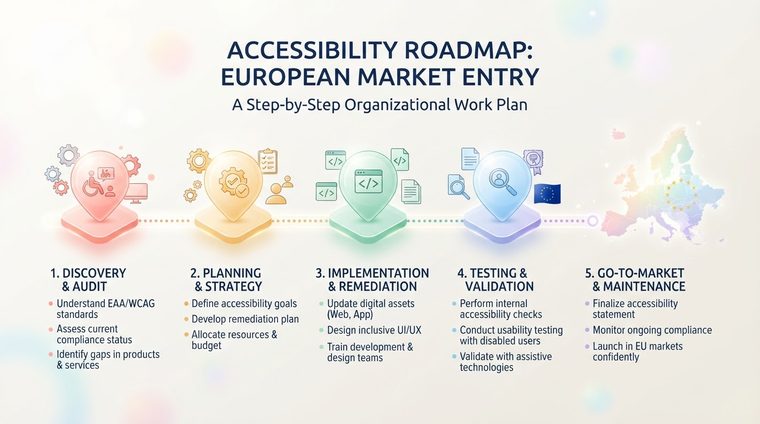
"Where do we even start?" is the first question every organization asks once it realizes it needs to implement digital accessibility across the board. This article lays out a step-by-step roadmap suited to an organization with dozens of ICT products, not just a single website.
In short — what this article covers
Step 1: Mapping and an initial picture
Before you start fixing anything, you need to know what actually exists: every website, app, document, and digital product the organization has. In most mid-to-large organizations, this mapping alone already turns up surprises — old microsites nobody remembers, PDFs that have piled up over the years, and legacy apps still in use. Use automated tools (like our free tool for documents) to get a quick picture across all your digital assets.
Step 2: Prioritizing by risk and exposure
Not every gap carries the same weight. Prioritize along two axes: legal exposure (is the product marketed directly to customers in Europe, and how likely is a complaint) and usage volume (how many users actually encounter the product). A product with high traffic and high legal exposure — like your main e-commerce site — should be at the top of the list, well ahead of an internal document almost nobody opens.
💡 Practical tip
Build a simple prioritization matrix: one axis for legal exposure, one for usage volume. Projects in the top-right quadrant (high exposure + high usage) always start first.
Step 3: Building infrastructure — not just one-off fixes
The most common mistake is focusing only on fixing existing gaps without building the infrastructure that prevents new ones. That includes: document templates that are accessible from the start (see our guide on accessible Word templates), accessible UI components in the organization’s design system, and automated accessibility testing built into the development process itself — not just a one-time check at the end.
Step 4: Ongoing implementation and monitoring
Digital accessibility isn’t a project with a finish line — it’s an ongoing process. Establish clear ownership (who’s responsible for accessibility on each team), measure progress with periodic scans, and build an approval process where every new product or document passes a basic accessibility check before publishing — so the gap doesn’t reopen every time a new update ships.
Want to start your mapping with your documents?
Our free tool gives you an instant picture of every PDF file on your site — an excellent starting point for any organizational roadmap.
Scan Your Site for Free ←After the scan, you can also make the documents it flags accessible directly and for free through AccessiDoc.