
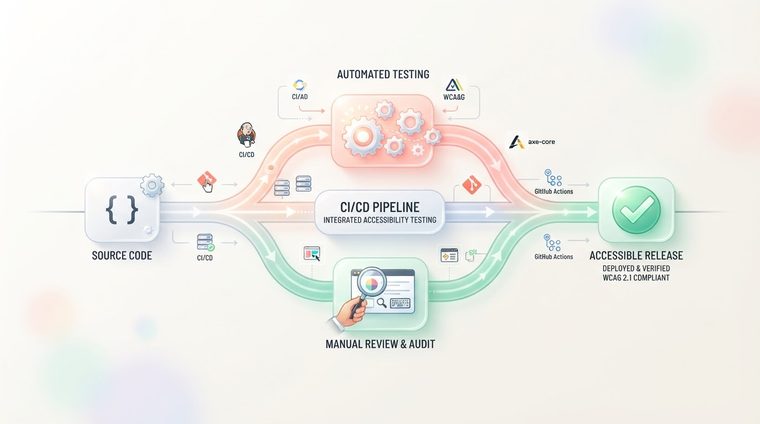
Accessibility that's checked only once a year, in a one-time manual review, almost always erodes quickly — any small code update can break something that was already fixed. The solution: build accessibility testing into the development process itself (CI/CD) as an automated step, so problems get caught before they reach production. This article explains how.
In short — what this article covers
Why a one-time check isn't enough
A development team that ships updates every week, or sometimes every day, can't rely on an annual accessibility audit to maintain ongoing compliance. A new component added without accessibility in mind, or a CSS change that accidentally lowers contrast, can break accessibility that was already fixed — and no one notices until a user or a complaint reveals it. The same principle applies to documents too — see our guide on mapping common errors.
What automated tools in the CI/CD pipeline can catch
Tools like axe-core, Pa11y, or Lighthouse CI can run automatically on every pull request or before every deploy — within seconds they check things like: color contrast, incorrect or duplicate ARIA tags, missing alt text, missing form labels, and incorrect heading order. If the check fails, the pull request is automatically blocked from merging — just like a regular code review or a failing unit test.
💡 Practical tip
Start in "warning mode" (non-blocking) for a few weeks to see how many issues already exist in the codebase, and only after an initial cleanup turn the check into a deploy blocker — that way the team doesn't get "stuck" facing hundreds of errors on day one.
Where manual testing is still needed
Just as with document testing, automated tools in the CI/CD pipeline catch clear structural issues, but they can't judge the actual user experience: whether keyboard navigation makes sense, whether a screen reader "tells a coherent story" on the page, or whether a custom component (like a carousel or modal) is genuinely usable in real-world use. That's why it's worth pairing the ongoing automated checks with a periodic manual audit — quarterly, for example.
How to implement it in practice
- Choose a testing tool that fits your technology stack (axe-core for most JavaScript projects, Lighthouse CI for browser-based projects).
- Run it as a step in your CI pipeline — usually as a GitHub Action, a GitLab CI job, or an equivalent step in whatever CI/CD tool you use.
- Set a clear failure threshold (for example: no "critical"-level issues per axe-core) before the check becomes a blocker.
- Cover your PDF files too: if your organization generates documents automatically (invoices, reports), consider adding automated scanning for those as well, as part of the publishing process.
Want to add automated PDF testing to your process too?
Our tool scans PDF files and gives each document an accessibility score — you can run it as a periodic check alongside your CI/CD process.
Scan your site for free ←After scanning, you can also make the documents that were found accessible directly and for free via AccessiDoc.