
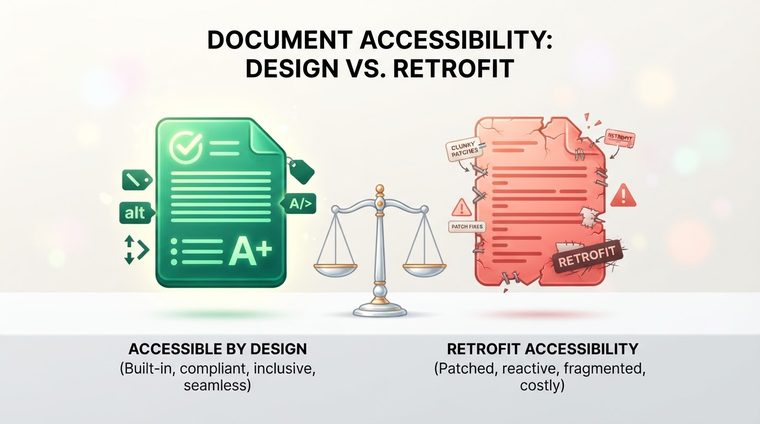
"Let's build it now, we'll make it accessible later" is one of the most costly decisions an organization can make without even realizing it's making it. This article explains why fixing an existing document is almost always more expensive and slower than building it accessible from the start — and what to do if you already have a large archive of old documents.
In short — what this article covers
Why retrofitting is more expensive
When a document is built from the start using an accessible template (see our article on accessible Word templates), accessibility is "born" together with the document — headings are tagged automatically, proper contrast is built in, and alt text is written while the content is being created, while the information is still fresh. Fixing it retrofit-style requires someone else to go back into the finished document, decipher from scratch what each image is supposed to say, and rebuild a heading hierarchy that may not have been consistent to begin with — detective work that takes several times longer than doing it right the first time.
When the original file is "locked" or lost
The worst-case scenario: an old PDF whose original Word file has been lost, or that's actually a scan of a printed page. In that case, you can't just "fix the tags" — you first have to run OCR (optical character recognition) to turn the pixels into real text, and only then build a tag structure from scratch, with no original to refer back to for checking design or intent. That's exactly why especially old documents are the most expensive to fix.
💡 Something to consider
If you have the original Word file, always fix accessibility there and re-export to PDF — it's much faster and more reliable than fixing the final PDF directly, and it ensures future updates to the document stay accessible too.
How designing for accessibility upfront saves all of this
The real cost of "we'll make it accessible later" isn't just the actual work hours — it's also the accumulating risk: every month that passes with new documents that weren't born accessible adds more files to the future pile of fixes. An organization that adopts an accessible template and the right workflow today stops the bleeding immediately, even if the old archive still needs separate attention.
What to do with an existing archive
The right approach isn't to try to "fix everything at once," but to work by priority: first stop the bleeding (an accessible template for new documents), and in parallel, map the existing archive and prioritize by exposure — which documents are viewed most, are most legally sensitive, or are most urgent from a business standpoint. That way the fix happens gradually and within a reasonable budget, instead of turning into a massive project that never actually starts.
Not sure how big your old archive really is?
Our tool scans every PDF file on your site and gives you an accurate picture — the first step toward planning a gradual, budget-friendly fix.
Scan your site for free ←After scanning, you can also make the documents that were found accessible directly and for free via AccessiDoc.